Updated August 2026: I did a second pass on the app and found that three of the six frontmatter fields below weren’t being written correctly – the meeting title, the platform and the duration were all wrong, and nothing errored to tell me. Signing, permissions and the transcription model have changed too. The post now describes the working version.
Granola is fine on a 1:1, but the moment a third person joins the call, the transcript stops being useful.
You get “Me” and “Them”, so if there are two people on their side, both get labelled “Them”. You have to go through the transcript manually to try and figure out who said what, which sort of defeats the whole point of automating it in the first place.
Most calls I run have two or three people on the other side. Knowing who said what isn’t optional. So I built a replacement.
Two hours, end to end. Most of that was spent with an agent researching the approach and iterating on a PRD – the code itself came together at the end.
It’s a macOS app called Recall Recorder, and the repo is public: github.com/dhpwd/recall-recorder.
What I actually needed
Four things:
- Reliable triggers. Recording starts when a call starts, so there’s no menu bar click to remember and I don’t miss the first three minutes
- Async transcription on the whole recording. If the model has the whole call to work with before it transcribes anything, the result is noticeably more accurate than streaming line by line
- Speaker separation by name. Zoom, Meet and Teams all expose participant names, so the transcription tool just has to use them
- Control over where the file lands. Granola’s transcript lives in Granola, but I want a markdown file in a local folder I own, ready to be picked up by everything else I work with
Once I had that list, the question was what I had to build and what I could rent.
Buy what’s hard, build what’s mine
Recall.ai sells a desktop SDK that does the part I’d never have built well myself. It detects calls on Zoom, Meet, Teams and Webex, handles recording, uploads to Recall after the call ends, and orchestrates async transcription via AssemblyAI’s Universal-3.5-Pro model. Speaker diarisation works out of the box.
Building that from scratch would be weeks of work, but using it costs pennies per call. That’s what made the 2-hour build possible – the hard parts were already done.
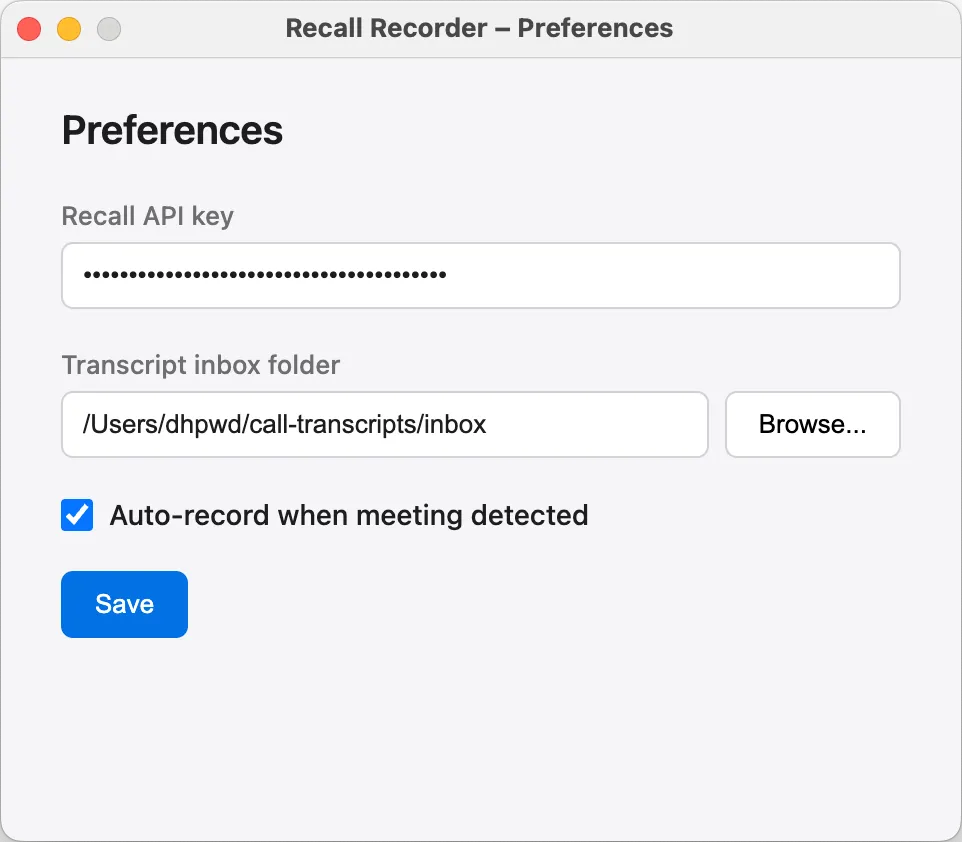
What I actually built: an Electron menu bar app that wraps the SDK and turns each call’s transcript into a markdown file with YAML frontmatter (see example below). There’s a tray menu for stopping recordings and opening the inbox folder, plus a preferences panel for the API key and the inbox path.
There’s no bot in the meeting and no “are you happy for me to record this?” pop-up – the SDK records natively from the host’s machine, the same way Granola does.
It records audio only. A transcript doesn’t need video, so the app never captures or uploads any.
With any new SDK there are gotchas the docs don’t quite cover. Using Context7 to query Recall’s docs gave the agent a live reference it could check whenever its first guess was wrong.
Each transcript looks like this:
---
date: "2026-04-28T14:30:00.000Z"
platform: "zoom"
meeting_title: "Discovery Call"
participants:
  - Sarah Cohen
  - Marcus Lee
duration_minutes: 45
recall_upload_id: "4abf29fc-36b5-4853-9f84-a9990b9e354b"
---

[00:00:05] Sarah Cohen: Hello, thanks for joining.

[00:00:13] Marcus Lee: Thanks for having us.
Five improvements over Granola
In daily use:
- Triggers fire across all four platforms. Zoom, Meet, Teams, Webex – no more “did Granola catch this one?”
- Whole-recording transcription is markedly better. Universal-3.5-Pro on a complete file outperforms streaming transcription on the same call, especially on accented speech, numbers and proper nouns
- Real names in the speaker column. When the platform exposes participant names (which Zoom, Meet and Teams do) the transcript shows “Sarah Cohen” not “Speaker 2”
- Transcript files in a folder I own.
~/call-transcripts/inbox/by default, configurable in preferences. They’re markdown, so anything else I work with can read them - Frontmatter that makes downstream processing trivial. Date, platform, meeting title, participants, duration and the Recall upload ID. Whatever picks the files up can filter on those fields without parsing the transcript
What it doesn’t do
It only runs on macOS, which is my choice rather than a Recall limitation – the Desktop SDK supports Windows too, I just had no reason to build for it. You’ll need macOS 14.2 or later on Apple Silicon. Audio-only recording needs the system-audio permission, and that doesn’t exist on older versions.
It needs two API keys: a Recall account and an AssemblyAI key added inside Recall’s transcription settings. Both have free tiers and neither account takes more than a couple of minutes to set up.
You need a signing certificate to build it, and a self-signed one is fine. This caught me out for a while. If you sign ad-hoc, macOS pins every permission grant to a hash of that exact binary, so every rebuild invalidates everything you granted, and nothing tells you it happened. Accessibility is where you notice, because it has no prompt to re-trigger – it just stops working. The README walks through creating the certificate.
A few known issues:
- Anyone who dials in by phone instead of joining from the app gets a
Speaker 0-style label rather than their name - Two remote participants with the same display name still get collapsed onto one speaker. That’s structural to the Desktop SDK, which only ever gets one mixed audio stream for everyone remote. It used to happen invisibly. Now they render as
Name (1)andName (2)with a warning in the log, so you can at least see it happened - Quitting the app mid-transcription loses the transcript. Polling runs in memory and nothing is written to disk. There’s a recovery script in the repo, but the app itself should handle this
- Teams occasionally fails to auto-stop after a call ends, and the tray menu has a manual stop as fallback. The SDK upgrade I did in August includes four Teams end-of-call fixes, so this may already be gone. I haven’t run a Teams call since to find out
That’s what’s left after a second pass. The app works for the calls I run, and listing the rough edges still feels more honest than polishing them away.
Run it yourself
The repo is at github.com/dhpwd/recall-recorder, and the README walks through Recall and AssemblyAI setup. On first launch, macOS prompts for Accessibility, Microphone and System Audio Recording. Grant all three. Set the inbox folder where you want transcripts to land, then make a test call with a colleague.
Before your first real call, put your company, customer and product names into keyterms in the settings file. The app sends them to AssemblyAI as a bias list, and proper nouns are the words that come back wrong most often.
If you find a bug that’s not in the known issues list, open one. If you fix it, send a PR.
The recording itself turned out to be the easy bit. What happens after the transcript lands in the inbox is what made replacing Granola worth doing – I’ve written that up here.